
Kraken App Tutorial: How to Trade Crypto on Mobile Step by Step
Updated: Aug 11
TABLE OF CONTENT
The Kraken app is made for users who want to trade crypto from a phone. Before using any app, beginners should understand What Is a Crypto Exchange and How Does It Work? It gives simple options to buy, sell, convert, deposit, withdraw, and track crypto. This Kraken app tutorial explains the basic mobile flow in clear steps.
New users can first read Most Essential Crypto Expressions All Beginners Must Know to understand basic terms.
For beginners, the app may feel easier than a full trading screen. The main actions are shown in a simple way. Users can tap Trade, choose Buy, Sell, or Convert, then review the order before they confirm.
Still, crypto trading needs care. Prices can rise or fall fast. Fees can also change based on the payment method and trade type. Beginners should also understand What is a risk management and how to reduce risk of your crypto portfolio: A Beginner’s Guide.
In this article, we will check how the Kraken app works on mobile. We will also see how beginners can buy, sell, convert, deposit, withdraw, and review fees before making any trade.
Key Highlights
This Kraken app tutorial explains how beginners can trade crypto from a mobile phone.
The Kraken app lets users buy, sell, convert, deposit, withdraw, and track crypto.
Beginners should verify their account before adding funds or placing trades.
Users should review the asset, amount, price, fee, and final total before confirming.
Crypto trading is risky, so users should secure the app and avoid rushed decisions.
About the the Kraken App
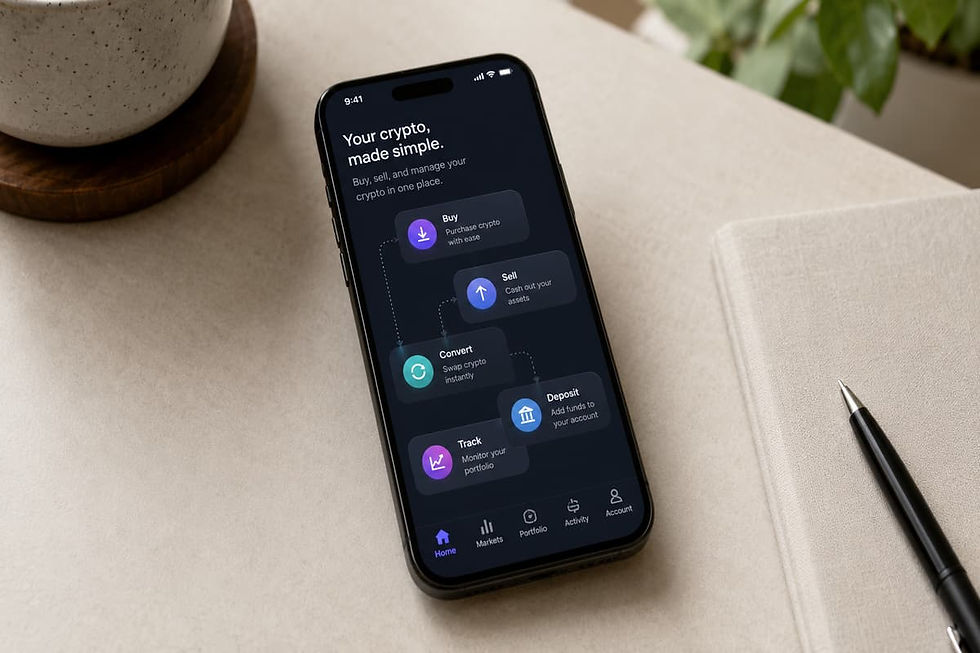
The Kraken app is a mobile app for crypto users. It helps users buy, sell, convert, deposit, withdraw, and track crypto from a phone.
The Kraken app gives users a simple way to use Kraken on mobile. If you are still comparing platforms, read How to Choose the Right Crypto Exchange and How to Do the Initial Set-Up: A Beginner’s Guide. It is built for basic crypto actions. This makes it useful for beginners who do not want a full trading screen.
In this Kraken app tutorial, the focus is on the regular Kraken app. This app is different from Kraken Pro. The regular app is made for simple use. Kraken Pro is made for users who want charts, order books, and more trade options.
What You Can Do on the Kraken App
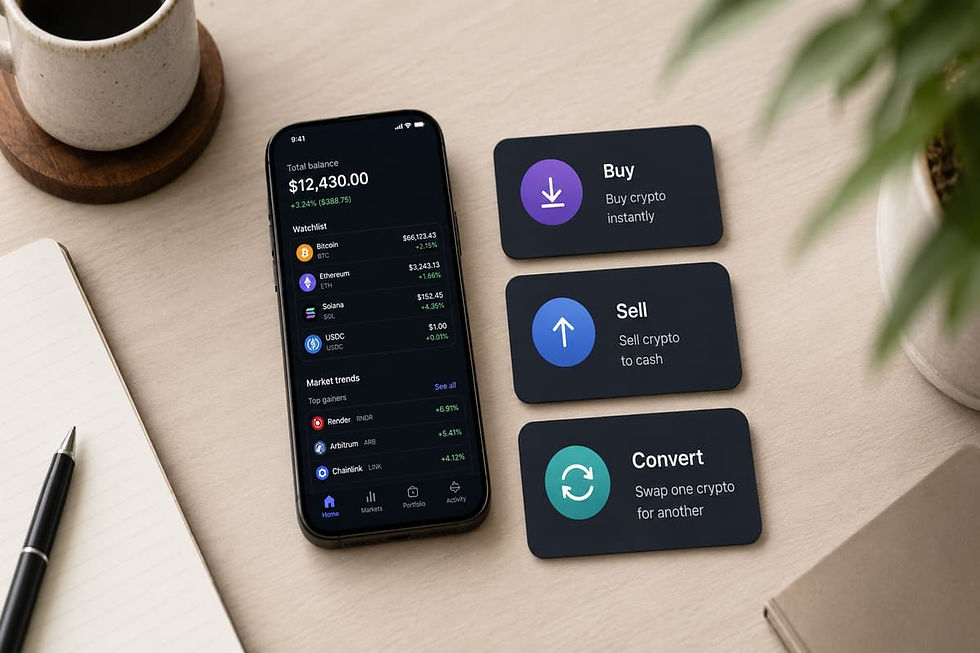
Users can buy crypto through the app. They can also sell crypto when they want to move back to cash. The app also allows users to convert one asset into another.
The app can be used to deposit cash or crypto. Users can also withdraw funds from the app when the option is available in their region.
It also helps users check their portfolio. They can see balances, recent activity, and account value from one place.
Who the Kraken App Is Best For
The Kraken app is best for beginners. It is also useful for users who prefer mobile trading. It suits users who want simple buy, sell, and convert tools.
Still, users should not treat the app as risk-free. Crypto prices can change fast. Users should always check fees, account security, and order details before they confirm any trade. New traders should understand crypto asset risks before using any mobile trading app.
Kraken App vs Kraken Pro App: What Is the Difference?
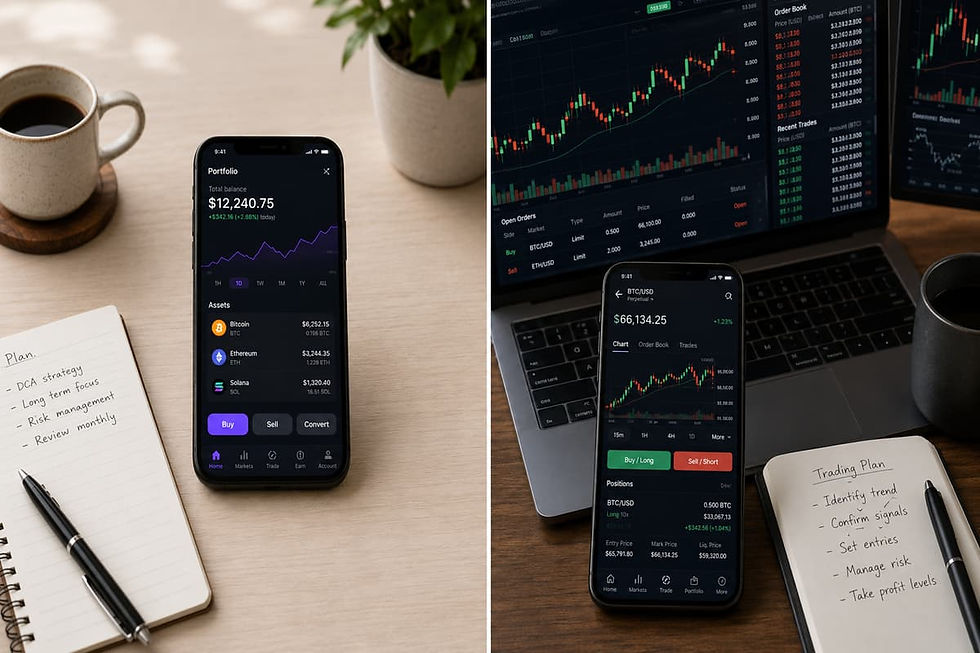
Kraken has two main mobile apps. The regular Kraken app is for simple crypto actions. Kraken Pro is for users who want more trade tools.
1) Kraken App
The regular Kraken app is better for beginners. A beginner who is still learning the full buying process can read How to Buy Cryptocurrency Safely Step-by-Step: A Beginner's Guide. It focuses on simple actions like Buy, Sell, Convert, Deposit, and Withdraw.
The app also helps users track their crypto balance. They can check account value and recent activity from a phone. This makes the app useful for users who want a clean mobile flow.
In this Kraken app tutorial, most steps are based on the regular app. It is the better starting point for users who are new to mobile crypto trading.
2) Kraken Pro App
Kraken Pro is made for active traders. Users interested in advanced tools can later read How to Trade Futures on Kraken: Leverage Trading Explained. A Beginner's Guide. It has more tools than the regular app.
Users can view charts, order books, and trading pairs. To understand chart basics, read How to Understand Crypto Price Charts Without Becoming a Trader - Beginner Guide for Investors.
The Kraken Pro app also supports order types like market orders and limit orders. Some users may also see more advanced tools based on their region and account status.
This app gives more control. But it also needs more care. New users can make mistakes if they do not understand trading pairs, fees, and order types.
Which App Should Beginners Use?
Most beginners can start with the regular Kraken app. It is easier to use and has fewer trade screens.
Users who only want to buy, sell, or convert crypto may not need Kraken Pro at first. The regular app is enough for basic mobile use.
Kraken Pro may be useful later. It can help users who want charts, limit orders, and more control over trades.
Beginner Recommendation
The regular Kraken app is the safer starting point for most new users. It keeps the process simple and clear.
Users can move to Kraken Pro later when they understand trading pairs, price charts, and order types. Crypto trading is already risky. There is no need to make it harder on day one.
What You Need Before Trading on the Kraken App
Before using the Kraken app, users should prepare a few things. This helps reduce mistakes during account setup, funding, and mobile trading.
1) A Kraken Account
Users need a Kraken account before they can use the app’s trade features. New users can create an account through the app or Kraken’s website.
Existing users can sign in with their account details. They should still check if their account is verified before they try to deposit funds or buy crypto.
This Kraken app tutorial is based on the mobile app flow. But the account must still meet Kraken’s rules for the user’s country.
2) Identity Verification
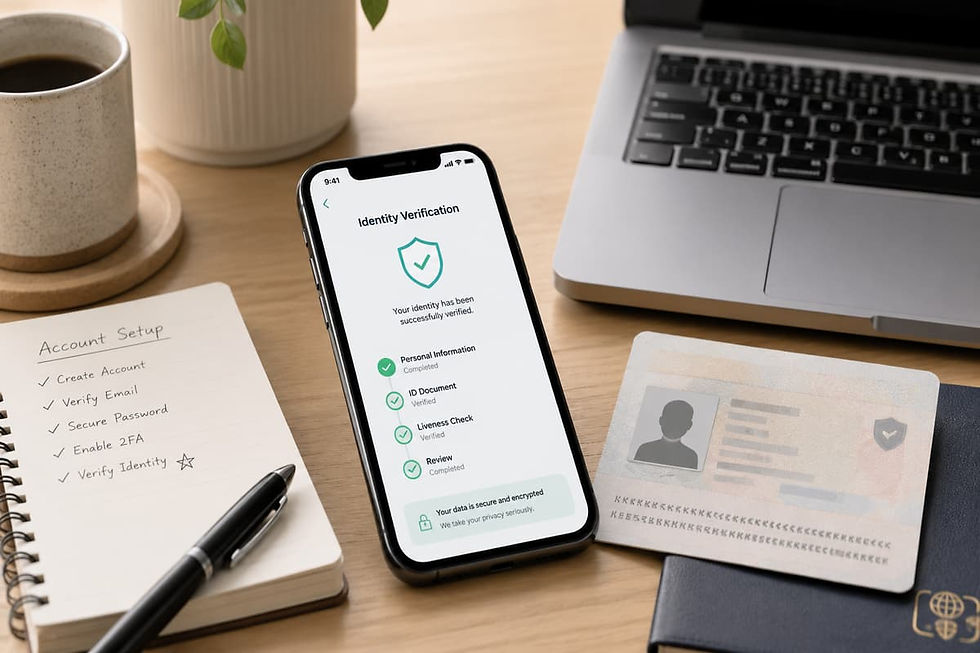
Kraken may ask users to verify their identity. This step can affect what features a user can access.
In most cases, users may need to submit basic personal details. They may also need to upload an ID. The exact process can change by region.
Verification is important before trading. Some payment methods may not work until the account is verified.
3) A Supported Payment Method
Users also need a payment method. This can depend on the country and account status. Fee differences are easier to understand after reading What Are Crypto Fees and Gas Fees?
Some users may be able to use a cash balance. Others may see bank transfer, card, or wallet payment options in the app.
Before adding money, users should check the fee and processing time. A fast payment method may cost more. A slower method may be cheaper.
4) Basic Security Setup
Security should come before trading. Users should create a strong password and secure their email account. Read Crypto Security Basics: How to Protect Your Assets before adding money.
They should also enable two-factor authentication or a passkey. The phone should have a lock screen. The app should only be downloaded from official app stores.
5) A Simple Trading Plan
Beginners should decide the amount before they buy. They should also choose the crypto asset with care.
The plan should be simple. Know what to buy. Know how much to risk. Know whether to hold on Kraken or withdraw later.
Steps to Trade Crypto - Kraken App Tutorial

Trading on mobile can feel simple. Still, each step needs care. This Kraken app tutorial explains the main steps beginners should follow before placing any trade.
Step 1: Download the Official Kraken App
Start with the official Kraken app. Use the Apple App Store or Google Play Store only. iPhone users should download the official iOS app from Apple’s App Store. Android users should check the Google Play listing before installing the app. Do not install APK files from random sites.
Fake crypto apps can look real. They may copy names, logos, and app screens. Always check the app publisher before you install it.
Step 2: Create or Sign In to Your Kraken Account
New users can create an account from the app. They need to enter basic details and confirm their email.
Existing users can sign in with their Kraken account. They should use a strong password. A password manager can help avoid weak passwords.
Step 3: Verify Your Account
Kraken may ask users to verify their identity. This step is needed for many account features.
Users may need to share their legal name, address, date of birth, and ID proof. The exact details can change by country. Make sure all details match the ID document.
Step 4: Secure the App Before Trading
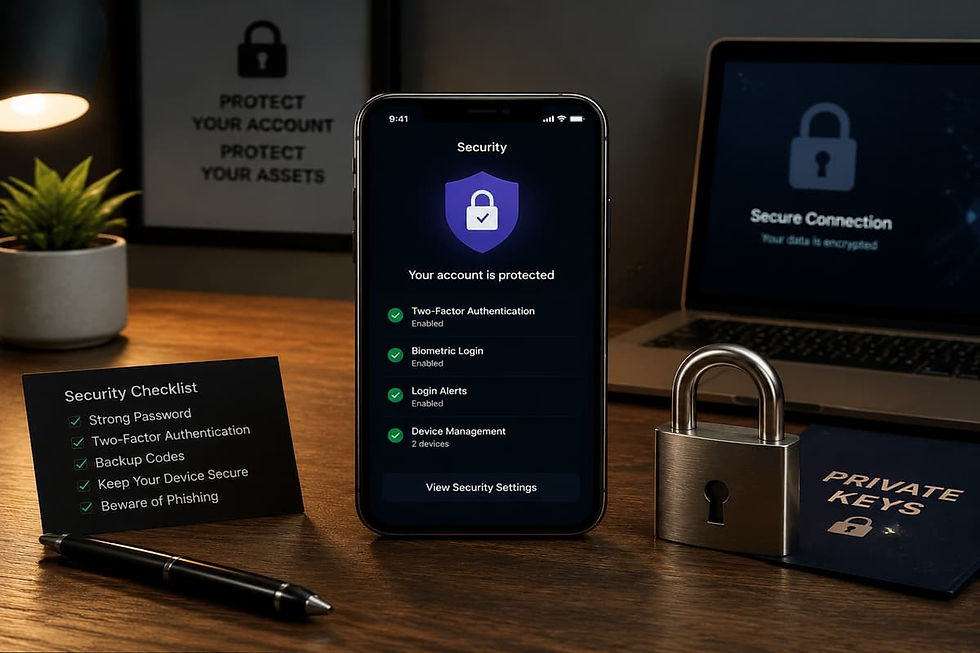
Security should come before deposits and trades. Enable two-factor authentication or passkeys when available.
Also lock your phone with a passcode or biometric lock. Keep your email account safe. Never share passwords, login codes, or account links with anyone.
Step 5: Deposit Funds
After verification, users can deposit funds in the Kraken app. Tap Deposit and choose cash or crypto.
For cash deposits, check the payment method, fee, and processing time. For crypto deposits, check the asset and network with care. A wrong network can lead to loss of funds.
Step 6: Buy Crypto
To buy crypto, open the app and tap Trade. Then choose Buy and select the asset.
Enter the amount you want to spend. Choose the payment method. Review the price, fee, and final total before you confirm.
Step 7: Sell Crypto
Selling crypto follows a similar flow. Tap Trade and choose Sell. Then select the crypto you want to sell.
Enter the amount and review the quote. Check the fee before you confirm. Selling crypto may also create tax records in some countries.
Step 8: Convert Crypto
Convert lets users change one asset into another. It can be useful for small balances or basic portfolio changes.
Tap Trade and choose Convert. Select the asset you want to convert from. Then select the asset you want to receive. Review the rate and fee before confirming.
Step 9: Set Up Recurring Buys
Some users may want to buy crypto on a fixed schedule. Recurring buys can help them avoid guessing the right time. This method is explained in our article: Mastering Dollar Cost Averaging in Cryptocurrency: A Smart Crypto Dollar-Cost Strategy
Users may be able to set daily, weekly, biweekly, or monthly buys. Still, this does not remove market risk. Crypto prices can fall after repeated buys.
Step 10: Review Fees
Always check fees before confirming any trade. Fees can change by payment method, asset, region, and trade type.
Do not rush the confirmation screen. Check the asset, amount, quoted price, fee, and final total. One careless tap can be costly.
Step 11: Track Your Portfolio
The Kraken app helps users track their balances. It also shows account value and recent activity.
Beginners should use this for basic review. They should avoid checking prices too often. Fast price moves can lead to emotional trading.
Step 12: Withdraw Crypto or Cash
Users can withdraw cash to a bank account where supported. They can also withdraw crypto to a personal wallet. Wallet beginners should read Crypto Wallets Explained: Hot Wallet vs Cold Wallet.
For crypto withdrawals, check the asset, network, address, fee, and minimum amount. A test transfer can help reduce risk. Crypto withdrawals are usually final.
When Should Beginners Use Kraken Pro Mobile?
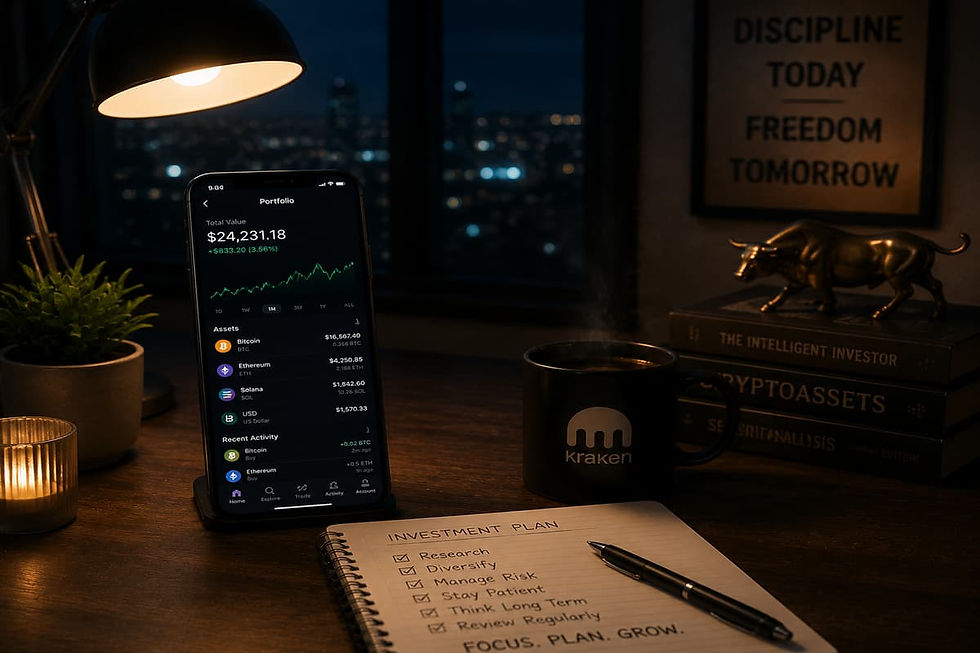
Kraken Pro is a more advanced app. Beginners should use it only when they understand basic trading terms and order types.
1) Kraken Pro Is Built for Active Trading
The regular Kraken app is made for simple actions. It helps users buy, sell, convert, deposit, and withdraw crypto.
Kraken Pro is different. It is made for users who want more control over trades. It shows charts, trading pairs, order books, and more order types.
This can help users who want to study price moves. But it can also confuse new users. A simple buy screen is easier than a full trade screen.
2) When Beginners Can Try Kraken Pro
Beginners can try Kraken Pro after they understand the basic app flow. They should first know how to fund the account. They should also know how to buy and sell crypto safely.
A user may consider Kraken Pro when they want to use limit orders. A limit order lets the user set a price. The trade happens only when the market reaches that price. Beginners can first learn how limit orders work before using advanced screens.
This can be useful. But it also needs care. If the price is set wrong, the order may not fill. In some cases, it may fill faster than expected.
What Beginners Should Learn First:
Before using Kraken Pro, users should learn basic trading terms. They should also learn how market orders work before active trading.
They should also learn how trading pairs work. For example, BTC/USD means Bitcoin is being traded against US dollars.
New users should not rush into tools they do not understand. Crypto trading is already risky. Adding advanced tools too early can make small mistakes bigger.
Avoid Margin in the Beginning:
Beginners should avoid margin and leverage. These tools can increase both profit and loss. They can also lead to fast liquidation.
A beginner using leverage without clear knowledge can lose funds quickly. This is why Kraken Pro should be used with care.
This Kraken app tutorial is mainly for regular app users. Kraken Pro can be useful later. But for a first-time mobile trader, the regular Kraken app is the better place to start.
Read More:
Common Mistakes Beginners Make on the Kraken App

The Kraken app is simple to use. But beginners can still make costly mistakes if they rush the process.
1) Trading Before Account Verification
Some users install the app and try to trade at once. This can create delays. Kraken may need identity verification before deposits, buys, or withdrawals are allowed.
Users should complete verification before adding funds. This also helps them see which payment methods are available in their country.
2) Downloading the Wrong App
Fake crypto apps are a serious risk. Some fake apps look very close to the real Kraken app. For more protection tips, read How Crypto Scams Work and the Best Ways to Protect Yourself.
Users should only download the app from the Apple App Store or Google Play Store. It is safer to reach the app store link from Kraken’s official website.
Never install APK files from unknown websites. Also avoid links shared in social media comments or private messages. It is safer to recognize and report phishing before clicking unknown links.
3) Ignoring Fees Before Confirming
Many beginners focus only on the crypto price. They forget to check the fee and final total.
The app shows details before the trade is confirmed. Users should check the payment method, asset, quoted price, fee, and total amount.
A quick trade can feel easy. But one missed fee can change the final cost.
4) Buying Only Because an Asset Is Trending
Mobile apps make it easy to buy fast. This can become a problem when users buy only because a coin is trending.
A rising price does not mean the asset is safe. Investors should watch for crypto fraud when an asset is trending. Beginners should check the project, price history, and risk before buying.
This Kraken app tutorial is for learning the process. It should not be used as a reason to buy any crypto without research.
Learn More:
5) Confusing Buy, Sell, and Convert
Buy, Sell, and Convert are different actions. Beginners should understand each one before using the app.
Buy means the user is buying crypto with cash or a supported payment method. Sell means the user is selling crypto for cash or another supported balance. Convert means the user is changing one asset into another.
A user should check the action twice before tapping confirm.
6) Entering the Wrong Amount
Some users enter the wrong amount by mistake. They may confuse cash value with crypto units.
For example, entering a Bitcoin amount is not the same as entering a dollar amount. The review screen helps users catch this mistake.
Before confirming, check how much will be spent. Also check how much crypto will be received.
7) Not Checking the Payment Method
Different payment methods may have different fees. They may also have different processing times.
Some methods may be faster. Others may cost less. Some deposits may also create withdrawal holds.
Beginners should not choose a method only because it appears first. They should review the details shown in the app.
8) Withdrawing to the Wrong Network
Crypto withdrawals need extra care. Sending crypto to the wrong network can lead to permanent loss.
Before withdrawing, check the asset and wallet address. Also check that the receiving wallet supports the same network.
For large withdrawals, a small test transfer can reduce risk.
9) Using Kraken Pro Too Early
Kraken Pro has useful tools. But it is not the best starting point for every beginner.
New users may not understand order books, trading pairs, limit orders, or margin tools. A mistake on an advanced screen can be costly.
Most beginners should first learn the regular Kraken app. They can explore Kraken Pro later.
10) Treating Mobile Trading Like a Game
The Kraken app makes trading easier. But crypto trading still involves real money. Consumers should understand virtual currency consumer risks before trading.
Beginners should not trade out of boredom or emotion. They should review each trade with care. A simple app screen does not make the market less risky.
Kraken App Mobile Trading Checklist

A checklist can help beginners avoid simple mistakes. Before using the Kraken app, users should check account setup, security, funding, trading details, and withdrawal steps.
1) Setup Checklist
Start with the basics. Make sure the official Kraken app is installed on the phone.
The account should be created with the correct email address. The email should also be verified before the user tries to add funds.
Identity verification should be completed where required. This can affect deposits, withdrawals, and trading features. Users should also check if Kraken supports the needed payment method in their country.
A beginner should not rush this step. A verified and properly set up account can make the rest of the process smoother.
2) Security Checklist
Security is one of the most important parts of this Kraken app tutorial. Crypto accounts can be targeted by phishing links and fake support messages.
Use a strong password for the Kraken account. Do not reuse a password from email, banking apps, or other crypto platforms.
Enable two-factor authentication or a passkey if available. Account holders should use multi factor authentication whenever possible. Also secure the email account linked to Kraken. A weak email account can put the crypto account at risk.
The phone should have a screen lock. Users should also keep the operating system updated. Do not use the Kraken app on a shared phone.
3) Funding Checklist
Before depositing funds, check the deposit method. Some methods may be faster. Others may have lower fees.
Users should review the deposit amount before confirming. They should also check the processing time. Some bank transfers may not appear at once.
For crypto deposits, the asset and network must match. The deposit address should be copied carefully. A small first deposit can help reduce the impact of a mistake.
Users should never send unsupported assets to Kraken. They should also avoid typing wallet addresses by hand.
4) Buy, Sell, and Convert Checklist
Before using Buy, Sell, or Convert, check the selected asset. The name and ticker should match the crypto the user wants to trade.
Then check the amount. Make sure the value is correct. Also check whether the amount is shown in cash or crypto units.
The payment method should be reviewed before confirming. Fees may change based on the selected method.
The quote should also be checked. Crypto prices can move fast. The final screen should show the price, fee, and total amount.
Do not confirm the trade if anything looks wrong. Go back and review the details again.
5) Withdrawal Checklist
Withdrawals need the highest level of care. Cash withdrawals can depend on the bank method, country, and account status.
Crypto withdrawals need more checks. The asset must be correct. The network must also match the receiving wallet.
The wallet address should be copied from the receiving wallet. Then it should be checked again before confirming.
Users should also review the withdrawal fee and minimum amount. For larger transfers, a small test withdrawal can help reduce risk.
Crypto withdrawals are usually final. If funds are sent to the wrong address or network, recovery may not be possible.
FAQs About Trading Crypto on the Kraken App
1) Can Beginners Trade Crypto on the Kraken App?
Yes, beginners can use the Kraken app to trade crypto. The app is made for simple actions like Buy, Sell, and Convert.
Users still need to complete account setup first. In many cases, identity verification is also needed before trading starts.
This Kraken app tutorial is written for beginners who want a clear mobile flow. It does not remove risk from crypto trading.
2) How Do I Buy Crypto on the Kraken App?
To buy crypto, open the Kraken app and tap Trade. Then choose Buy and select the crypto asset.
After that, enter the amount you want to spend. Choose the payment method shown in the app. Review the price and fee before confirming.
Do not rush this screen. A small mistake in the amount or asset name can lead to a wrong trade.
3) How Do I Sell Crypto on the Kraken App?
To sell crypto, open the app and go to the Trade section. Choose Sell and select the crypto asset you want to sell.
Then enter the amount. Review the quote, fee, and final amount before you confirm the sale.
Selling crypto may also create tax records in some countries. Users should keep trade records for future use.
4) How Do I Convert Crypto on the Kraken App?
Convert allows users to change one asset into another. It is useful when a user wants to swap crypto without using a full trading screen.
Open the Kraken app and tap Trade. Then choose Convert. Select the asset you want to convert from. Then choose the asset you want to receive.
Before confirming, check the rate and fee. A convert order can still have costs.
5) Can I Deposit Funds Through the Kraken App?
Yes, users can deposit funds through the Kraken app where supported. The app may allow cash deposits or crypto deposits.
Cash deposit options can change by country. They can also depend on account status. Some users may see bank transfer, card, or other payment options.
For crypto deposits, users must check the asset and network. Sending crypto to the wrong network can lead to loss of funds.
6) Can I Withdraw Cash or Crypto From the Kraken App?
Yes, users may be able to withdraw cash or crypto from the app. The available options can depend on the user’s country and account level.
Cash withdrawals may go to a bank account where supported. Users should check fees, limits, and processing times before they confirm.
Crypto withdrawals need extra care. Always check the wallet address and network before sending funds.
7) Can I Set Recurring Buys on the Kraken App?
Yes, eligible users can set recurring buys on the Kraken app. These buys can be set for a fixed schedule.
Some users may use recurring buys to avoid timing the market. This method can spread purchases over time.
Still, it does not remove crypto risk. Prices can fall after each buy. Users should only use an amount they can afford to risk.
8) Are Recurring Orders Available on Kraken Pro?
Recurring orders are mainly linked with the regular Kraken app. Kraken Pro is built for more active trading.
Kraken Pro gives users more trade tools. It has charts, trading pairs, and advanced order types.
Beginners who want a simple fixed buy plan should start with the regular Kraken app. Kraken Pro is better for users who already understand trading screens.
9) What Is the Difference Between Kraken App and Kraken Pro App?
The regular Kraken app is made for simple crypto use. It helps users buy, sell, convert, deposit, withdraw, and track balances.
Kraken Pro is built for users who want more control. It offers charts, order books, trading pairs, and more order types.
Most beginners can start with the regular app. They can try Kraken Pro later when they understand market orders, limit orders, and trading fees.
10) Does the Kraken App Charge Fees?
Kraken does not charge users just for opening an account. But fees can apply when users trade, deposit, convert, or withdraw.
The fee can change based on the payment method. It can also change by asset, country, and trade type.
Users should always review the final screen before they confirm. This is one of the most important lessons in any Kraken app tutorial.
11) Is Mobile Crypto Trading Risky?
Yes, mobile crypto trading is risky. The app may feel simple, but the market is still volatile.
Crypto prices can rise or fall very fast. A user can lose money even if the app is easy to use.
Mobile trading can also lead to emotional choices. Users may check prices too often and make rushed trades.
Beginners should move slowly. They should secure the account first. Then they should review every trade before confirming.
Final Thoughts!
The Kraken app gives beginners a simple way to trade crypto on mobile. Users can buy, sell, convert, deposit, withdraw, and track crypto from one app.
This Kraken app tutorial shows that the basic flow is easy to understand. First, secure the account. Then deposit funds. After that, tap Trade and choose Buy, Sell, or Convert. Review the details before confirming.
Still, mobile trading needs care. Crypto prices can move fast. Fees can also change by payment method and trade type. A simple app screen does not remove market risk.
Beginners should start slowly. They should use the official app only. They should also enable security features before adding funds.
Kraken Pro can be useful later. But new users should first learn the regular Kraken app. It is better to understand the basics before using charts, order books, or advanced trade tools.
The safest habit is simple. Check every trade before tapping confirm. Keep records. Avoid rushed decisions. Trade only with money you can afford to risk.
For more simple crypto guides like this, visit BitCoinBlog before your next trade. BitCoinBlog helps readers understand crypto apps, market news, and safety basics in clear language.
Start Your Crypto Journey!
If you’re ready to take the next step, you can create your Kraken account and explore real trading with a beginner-friendly interface.

AUTHOR
Jan Matula
Graduate of EUBA University, experienced Forex and Stocks trader since 2008, early Bitcoin investor and crypto trader since 2021.
This content is for informational purposes only and should not be taken as solicitation, recommendation, endorsement or investment advice. It is crucial for you to conduct your own research and due diligence to make informed decisions, as any investment will be your sole responsibility. Please review our disclaimer and risk warning.


